- No.
- LM-W-001
- Filed
- Role
- Sole engineer
- Stack
- Hugo MotifSpec GitHub Pages
- Status
- Live
aitrien.com on MotifSpec
Building this portfolio from scratch on my own design system, around the theme of moving through environments, with no CSS of its own and every page rendered from documented components.
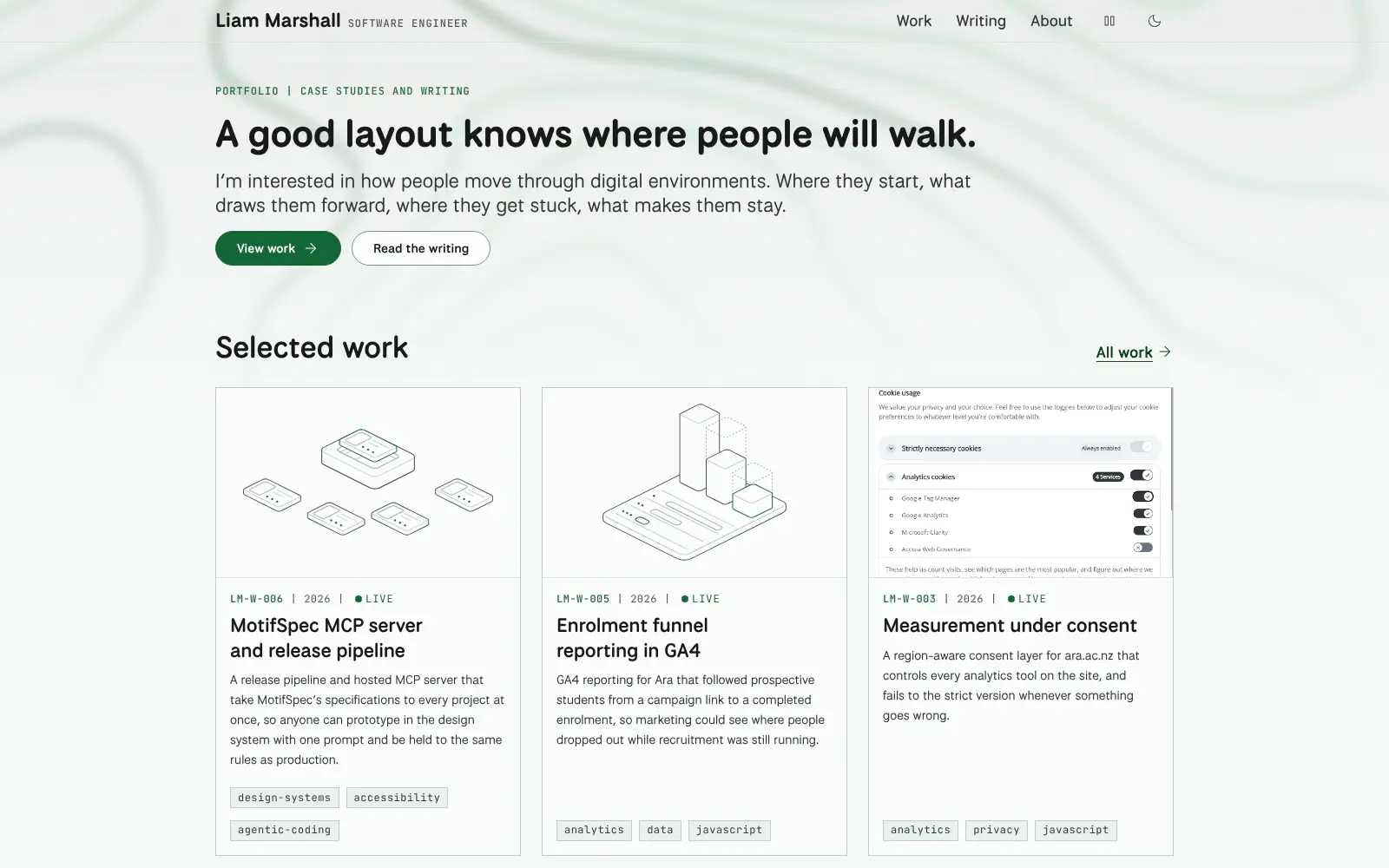
I built this site from scratch alongside MotifSpec, the design system it runs on. While the design system was being made, aitrien.com was only a placeholder that held the address. The build had one rule: the site has no CSS of its own, so anything it needs and the design system lacks becomes a proposal for the design system instead of a local fix.
Problem #
A portfolio built on its own design system is only a fair test if the site can’t cheat. One stray stylesheet and the system stops being the source of truth, and nobody notices until a release changes one place and not the other.
It also had to say what I care about. My work is about how people move through digital environments, so the site needed a look that came from that idea rather than a template.
Constraints #
- One stylesheet, from the module. It is fingerprinted, carries a subresource integrity hash, and sits one level below the root so its font paths resolve.
- Documented markup only. Every element uses a class and structure from a component doc.
- Works without JavaScript. Scripts reveal controls; without them, nothing dead appears and the theme follows the system.
- The build checks the content. A missing, malformed or reused catalogue number stops the build with the file name.
Approach #
Moving through environments
The home page opens with the idea the work is about: where people start, what draws them forward, where they get stuck, what makes them stay. Once I settled on that theme, it shaped how the site looks as well as what it says.
- Type from trail signs. Headings and body text are set in National Park, a typeface drawn by Design Outside Studio from the routed wooden signs in US national parks.
- Contour lines. A backdrop of topographic contours sits behind a frosted page, and MotifSpec’s specimen plate draws a contour survey.
- Wayfinding. Every case study and post has a catalogue number, figures are numbered plates, and a table of contents keeps your place in long pages.
Testing the backdrop on the live site
The backdrop was always going to be tested on the live site, behind real content rather than a mock-up. It changed quickly once the theme was set. It replaced the specimen plate on the home page, moved the header controls into pills, gained a control to pause its drift, and needed a new contrast check for text on the frost. All of that went into MotifSpec, not here, which is what the one rule is for.
Module wiring
The site imports MotifSpec as a Hugo module, pinned to a tag in go.mod. The module mounts its own files, so the import is the whole integration.
[module]
  [[module.imports]]
    path = "github.com/aitrien/motifspec"

[markup.highlight]
  noClasses = false
Render hooks instead of shortcodes
Markdown stays plain. Render hooks turn it into components: fenced code becomes the code block with its copy button, a standalone image becomes a numbered figure, a table becomes a captioned data table, and GitHub-style alerts become callouts. They started in this site and later moved into MotifSpec with the component partials, so any site that imports the module gets them.
<h{{ .Level }} id="{{ .Anchor }}">{{ .Text }}{{ if eq .Level 2 }} <a class="cx-anchor" href="#{{ .Anchor }}" aria-label="Link to {{ .PlainText }}">#</a>{{ end }}</h{{ .Level }}>A static tag filter
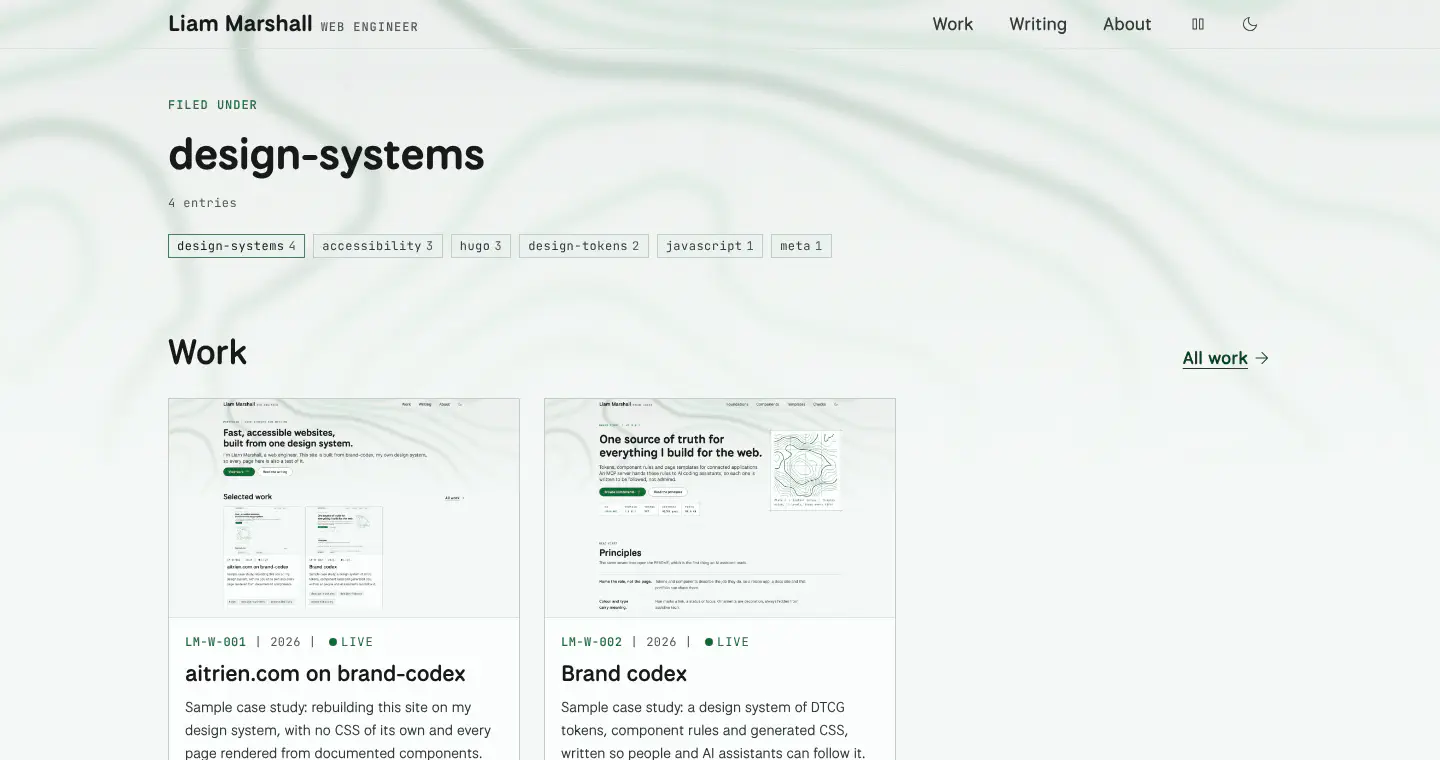
There is no filtering script. Each tag in the filter is a link to its term page, which lists the matching work and writing with that tag marked current. It works without JavaScript, and every filter state has its own address.
Outcome #
| Check | Result |
|---|---|
| CSS files in the site repository | 0 |
| Lighthouse accessibility, home and a post | 100 and 100 |
| Lighthouse performance on mobile, home and a post | 97 and 97 |
| Requests to other hosts | 0 |
| Page templates | 6 |
What I’d change #
Testing on the live site did its job. Several people told me the moving backdrop was distracting, and one said it didn’t fit the home page’s own line about where people start and what draws them forward. The backdrop is the next thing I’m changing, and I’m working through other approaches to it.
- No.
- LM-W-001
- Filed
- Role
- Sole engineer
- Stack
- Hugo MotifSpec GitHub Pages
- Status
- Live
Filed under